Reference-to-video AI AI Generator

Imagine transforming your static images into dynamic, engaging videos that captivate your audience. With PixelDojo's cutting-edge AI tools, you can effortlessly create professional-quality videos from your images, enhancing your storytelling and marketing efforts without the need for complex software or technical skills.

AI Generated
Get Started TodayResults in seconds50+ AI models

Join over 10,000 creators who have elevated their content with PixelDojo's AI-powered video generation tools. Rated 4.8/5 based on 2,000+ reviews.

Why Choose Pixel Dojo for Reference-to-video AI

Professional-quality results with cutting-edge AI technology

Effortless Video Creation

Convert your images into high-quality videos in minutes, saving time and resources.

Professional Results

Achieve cinematic-quality videos that enhance your brand's visual appeal.

No Technical Skills Required

Our intuitive tools make video creation accessible to everyone, regardless of experience.

How It Works

Creating videos from your images is simple with PixelDojo. Follow these steps to bring your visuals to life:

1

Step 1: Choose Your Tool

Select from PixelDojo's suite of AI video generation tools, such as LTX-2 Video or Pixverse, to begin your project.

2

Step 2: Upload Your Image

Upload the image you wish to transform into a video. Ensure it's high-resolution for the best results.

3

Step 3: Customize Your Video

Use the tool's features to add motion, effects, and transitions to your video. Preview the changes in real-time.


Community Reference-to-video AI Gallery

Real examples created by our community

a photo of a man flying through the air on a drone. the clouds say "PixelDojo.ai Now With Imagen 4"
a photo of a ninja in front of a japanese dojo. on the wall a sign reads PixelDojo.ai Now with Imagen 4
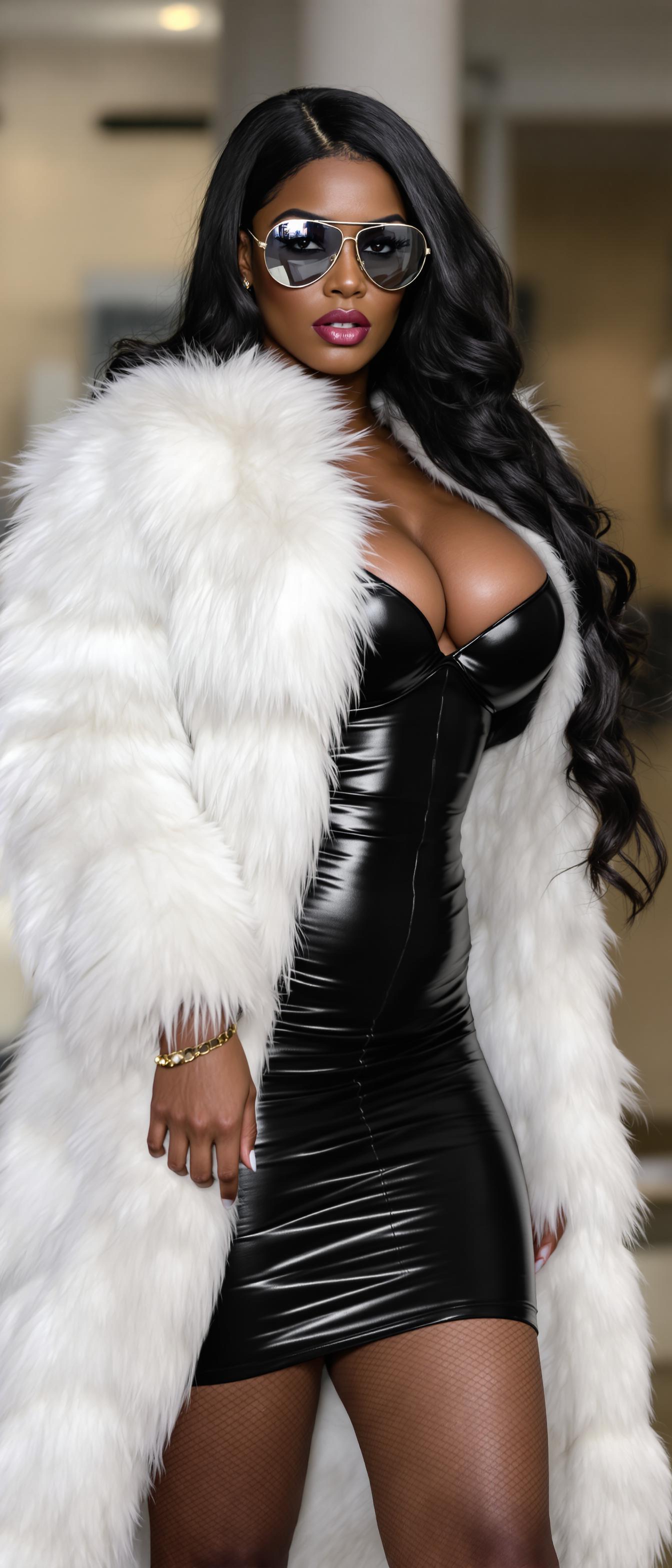
SHOT COMPOSITION": "long full body shot framing a confident curvaceous African American standing boldly She has a brazen, intense expression with striking amber eyes behind slim mirrored aviator sunglasses, her shiny black hair cascading down her back, dressed in a luxurious thick white fur coat. over skintight shiny black minidress that accentuate her curvaceous figure"
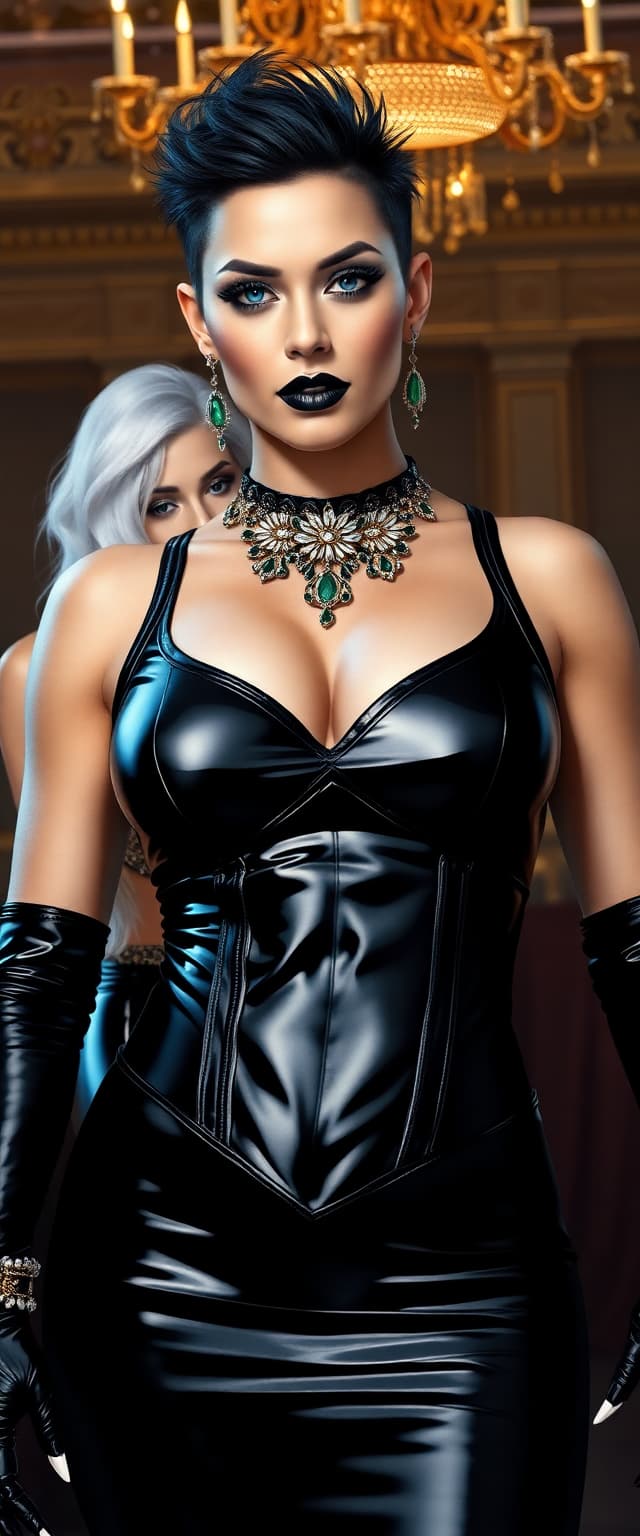
A breathtaking portrait of wrestler Rhea Ripley and a striking white-haired woman, embodying dark elegance and contrasting allure, captured in a hyper-realistic digital painting style with meticulous attention to detail. Rhea Ripley stands as the central figure, radiating raw power and sophistication in a shiny black latex evening gown, paired with a tight black latex corset that accentuates her powerful form and ample cleavage, the glossy, reflective surface catching the light with a bold, edgy sheen. Her short, spiky black hair shines under the warm, golden glow of opulent ballroom chandeliers, framing her piercing blue eyes that burn with an intense, commanding gaze. Her gothic makeup is striking—heavy dark eyeshadow with smoky, smudged edges, glossy black lipstick contrasting her pale, porcelain skin, and long, glossy black nails adding a sharp, menacing edge. Lavish emerald and gold jewelry adorns her form—intricate bracelets on her wrists, a tight choker necklace hugging her throat, ornate rings glinting on her fingers, and dangling earrings shimmering with every subtle movement, each detail rendered with exquisite precision and hyper-realistic texture.

Beside her, a shorter white-haired woman exudes a contrasting yet complementary allure, dressed in a shiny blue latex corseted evening gown, the material clinging to her form with a reflective, almost liquid-like texture, emphasizing every curve with a futuristic, otherworldly sheen. Her vivid ruby jewelry—necklace, earrings, and rings—glints like fire under the ambient light, perfectly matching her blood-red painted lips and claw-like nails, which add a dangerous, predatory charm, each detail meticulously highlighted with stunning clarity and depth.

The scene unfolds in a luxurious ballroom of timeless grandeur, with ornate golden chandeliers casting a warm, ambient glow across the space, creating soft highlights and subtle shadows. Polished marble floors reflect delicate glimmers of light, producing a mirror-like effect beneath their feet, while rich crimson velvet drapes frame the background, adding regal depth and theatrical drama to the composition. The layout is masterfully crafted, with Rhea Ripley as the dominant central figure, captured from a slight low angle to emphasize her towering, powerful presence, her posture commanding and unyielding. The white-haired woman stands slightly to the side, her elegant yet submissive posture creating a balanced, dynamic duo that draws the eye, their positioning highlighting their contrasting energies in a harmonious yet striking frame.

The mood is one of dark opulence and cinematic intensity, set during the late evening under the golden glow of the ballroom, with an atmosphere of mystery and allure perme
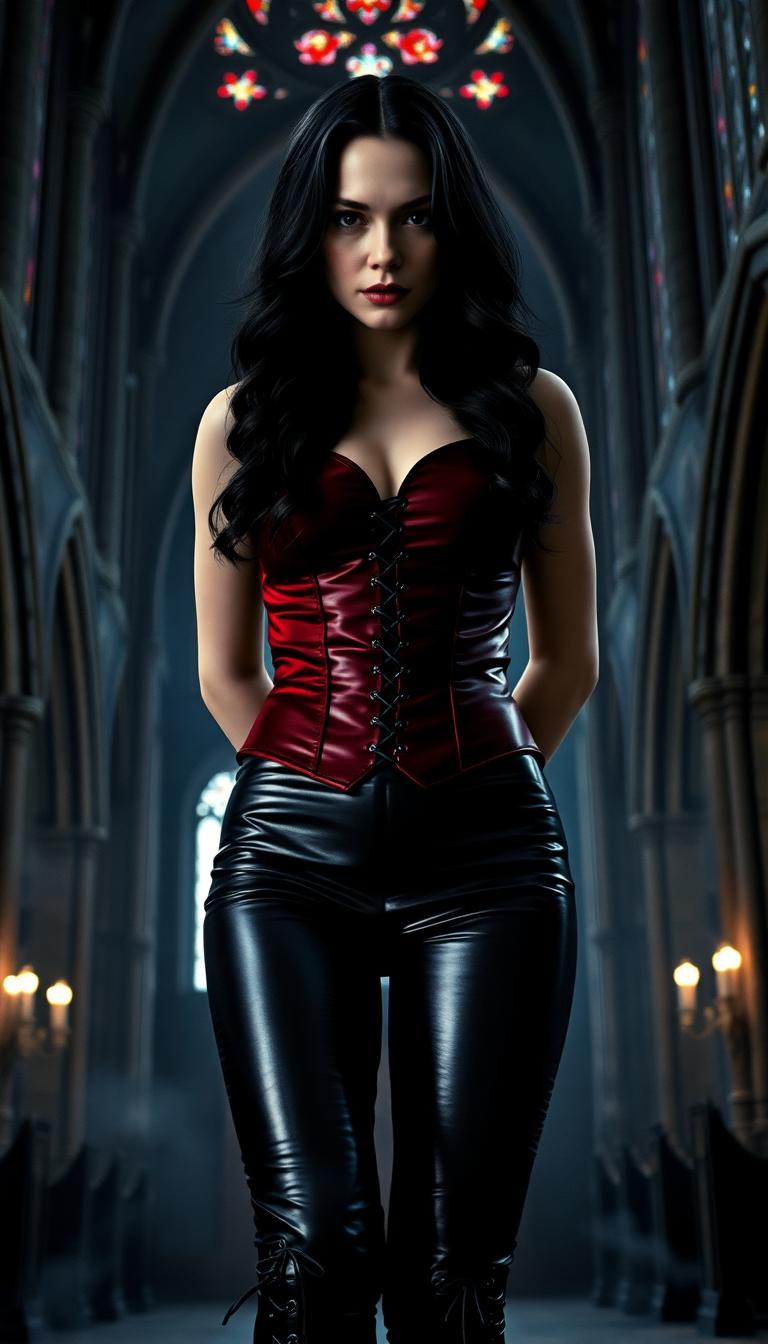
A striking portrait of Cate Blanchett as a powerful vampire queen, her long black wavy hair cascading over her shoulders with a glossy, silken texture. She wears a crimson latex corseted vest, tightly cinched to accentuate her regal silhouette, paired with shiny black latex pants laced up the sides, reflecting subtle glimmers of light. She stands commandingly in the center of a dark, gothic cathedral, surrounded by towering stone arches and intricate stained glass windows casting faint, eerie hues of red and blue. The composition focuses on her dominant presence, captured from a low camera angle to emphasize her authority, with her piercing gaze directed forward. The mood is ominous and seductive, with dim, flickering candlelight illuminating her pale, flawless skin and creating deep shadows across the ancient stone walls. The atmosphere is cold and haunting, with a faint mist lingering at her feet, evoking a sense of timeless darkness. Rendered in a cinematic, hyper-realistic style with dramatic chiaroscuro lighting, inspired by baroque art and modern dark fantasy aesthetics, showcasing ultra-detailed textures in her attire and the weathered cathedral surroundings.

Start Creating AI-Generated Videos Today

Over 40 cutting-edge AI tools, loved by thousands of creators worldwide. Cancel anytime. Try it today.

The Pixel Dojo Advantage

Why PixelDojo outperforms other options for AI video generation:

OthersPixel Dojo
Traditional Video Editing SoftwareEliminates the steep learning curve and time investment required by traditional software.
Generic AI ToolsOffers specialized tools tailored for image-to-video conversion, ensuring higher quality outputs.
Manual Animation CreationAutomates the animation process, reducing production time from days to minutes.

Loved by Creators

See what our community says about Reference-to-video AI

"PixelDojo transformed my static product images into engaging videos that boosted my sales by 30%."

Jane Doe

E-commerce Entrepreneur

"As a content creator, PixelDojo's AI tools have saved me countless hours, allowing me to focus on creativity."

John Smith

YouTuber

Common Questions

Everything you need to know about Reference-to-video AI AI generation

How does PixelDojo's AI convert images into videos?

PixelDojo utilizes advanced AI algorithms to analyze your image and apply motion, effects, and transitions, creating a seamless video output.

Do I need any prior experience to use PixelDojo's video tools?

No, PixelDojo's tools are designed with user-friendliness in mind, making them accessible to both beginners and professionals.

Can I customize the animations and effects applied to my videos?

Absolutely. PixelDojo provides a range of customization options, allowing you to tailor the animations and effects to your preferences.

What formats are the generated videos available in?

The videos are available in standard formats such as MP4, ensuring compatibility across various platforms and devices.

Is there a limit to the number of videos I can create?

PixelDojo offers various subscription plans to suit different needs, with options for unlimited video creation.

How long does it take to generate a video from an image?

The processing time depends on the complexity of the video, but most videos are generated within a few minutes.

Ready to Create Amazing AI-Generated Videos?

Ready to Create Amazing Reference-to-video AI Images?

Join thousands of creators using AI to bring their ideas to life